Installation Guide
To install the Qwint Caption extension in Premiere Pro, follow these steps:
01 Purchase & Download
Buy a credits pack from our homepage. You'll instantly receive the latest version of the Qwint Caption plugin as a ZIP file.
02 Extract & Run Installer
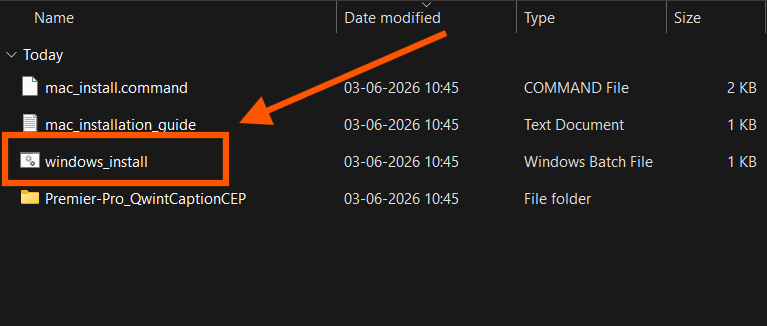
Extract the downloaded ZIP file. Close Adobe Premiere Pro if it's open.
# Open terminal in the plugin folder, then run these commands one by one line wise :
# If you see *** zsh: operation not permitted:./mac_install.command ***, then run :
🍎 You may be prompted to enter your Mac password to grant necessary permissions.
03 Open Premiere Pro
Launch Premiere Pro. Go to Window > Extensions > Qwint Caption. A panel will appear on your workspace. We recommend docking it for easy access.
04 Activate Your Key
Paste your API key (sent to your email or generated on download) into the plugin to activate your caption minutes instantly.
05 Generate Captions
Select your sequence in the timeline, click Generate Captions in the plugin, and watch our AI do the work for you!